Guide
How Voice Invoicing Works for Mobile Mechanics
Voice invoicing means saying the job out loud and letting software turn it into an itemised invoice draft. Here is how it works for mechanics, what to include and what to check.
On a driveway, wiping your hands
“Invoice James Turner for front brake pads £110, labour £70 and call-out fee £40.”
Invoice draft
To: James Turner
- Front brake pads£110.00
- Labour£70.00
- Call-out fee£40.00
From individual Trustpilot reviews
A customer's experience
“I can speak the job details into SaidToPaid, check the invoice draft and send it to the customer. It’s been really useful when I’m working away from a desk.”
Why voice beats typing for mechanics
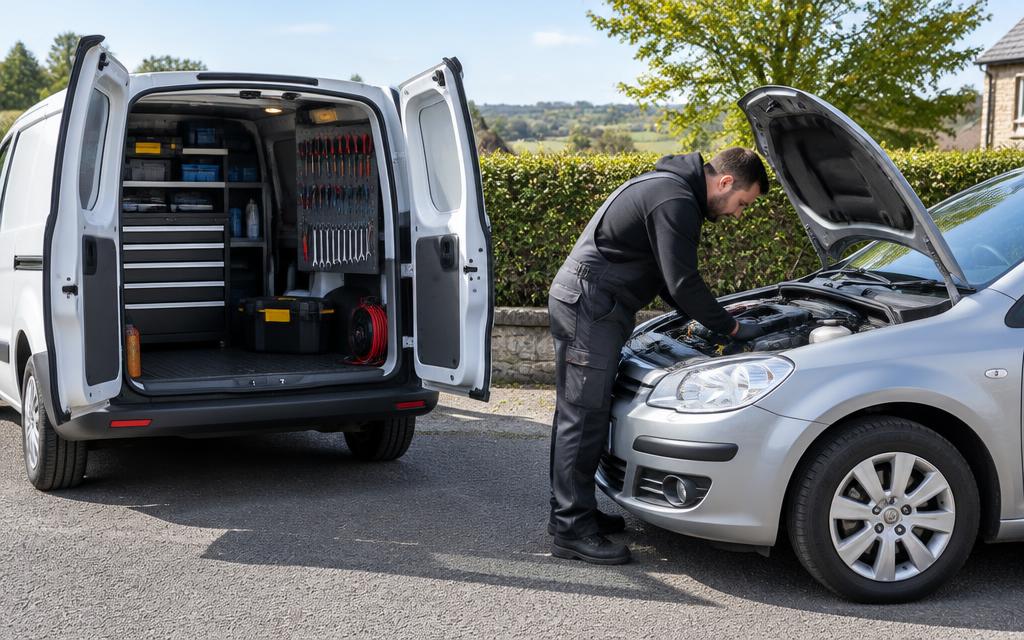
Your hands are dirty, you're between jobs, and the last thing you want is a keyboard. But leaving invoicing to the evening means forgotten parts and late payment.
A 20-second voice note captures everything while it's fresh — parts, labour, call-out — and SaidToPaid does the typing.
SaidToPaid is voice invoicing for mechanics: a spoken description of the job becomes an itemised invoice draft.
What is voice invoicing?
Voice invoicing turns a spoken description of a job into a structured invoice draft. You say the customer, the work and the prices; the software separates them into invoice lines that you review before sending.
Why does voice work well for mobile mechanics?
Mechanics finish jobs on driveways and roadsides with dirty hands and the next customer waiting. Saying the job takes seconds, so the invoice is drafted before details are forgotten.
Invoices written the same day tend to be more accurate, and forgotten parts or call-outs stop coming out of your own pocket.
What information should a mechanic say?
Say the customer name, the vehicle or registration, each part with its price, the labour charge, and any call-out or diagnostic fee.
Example: “Invoice James Turner, reg AB12 CDE, front brake pads £110, labour £70, call-out £40.”
Should parts and labour be separate on an invoice?
Yes, it is good practice. Listing parts and labour on separate lines shows the customer what they paid for and makes disputes less likely. Say them separately and each becomes its own line.
How should call-out charges be shown?
Put the call-out fee on its own line so it is never absorbed into labour. Mention “call-out” in your voice note and it is added as a separate charge.
How should diagnostic charges be shown?
Show diagnostics as a separate line, especially if the customer declines the repair. Agree the fee before you start, then say “diagnostic fee” in the note.
What should you check before sending?
Check the customer, vehicle, each line amount, the total, VAT if you are registered, and the due date. Nothing is sent automatically — every voice note becomes a draft first.
How does voice invoicing work for voice invoicing for mechanics?
You say one sentence. SaidToPaid turns it into separate, priced invoice lines.
“Invoice James Turner for front brake pads £110, labour £70 and call-out fee £40.”
What SaidToPaid creates
- Front brake pads£110.00
- Labour£70.00
- Call-out fee£40.00
Names and prices are examples only.
Try it with your own voice invoicing for mechanics job
Pick an example or write your own. Include a £ price for each item.
Type the job as you'd say it. Runs in your browser — nothing is saved.
Invoice draft
James Turner
- Front brake pads£110.00
- Labour£70.00
- Call-out fee£40.00
- Total
- £220.00
5 free documents · No card needed. In SaidToPaid, you check every line before it's sent.
Who is it for?
SaidToPaid is used by mechanics who'd rather speak than type.
- Mobile mechanics
- Independent garages
- Roadside technicians
- Mobile fitters
Frequently asked questions
Can SaidToPaid create invoices from voice notes?
Yes. Record a short voice note describing the job and SaidToPaid turns it into an itemised invoice draft with the customer, each line and the price. You review and approve it before anything is sent.
Does voice invoicing actually work for mechanics?
Yes — it's built for exactly that. Say "front brake pads £110, labour £70, call-out £40" and each becomes its own priced line on the draft, ready to send from your phone.
Can SaidToPaid create invoices from voice notes?
Yes. You record a short voice note or type a few lines describing the work, and SaidToPaid turns it into an itemised invoice draft with the customer, each line and the price. Mechanics use it so they don't have to sit down and type invoices at the end of the day.
Can I review an invoice before it is sent?
Yes. Nothing is sent automatically. Every voice note or typed write-up becomes a draft first. You check the lines, change anything that's wrong, then approve and send it.
Can I invoice hands-free while working away from a desk?
Yes. SaidToPaid is a voice-to-invoice app: dictate a voice note in the van, at the yard or between visits and it becomes an invoice draft. Mechanics can then approve and send it from a phone, with no laptop needed.
How can customers pay the invoice?
Each invoice can include an instant payment link so customers pay by card, Apple Pay or Google Pay once card payments are switched on, or by bank transfer using your bank details.
Do SaidToPaid invoices meet HMRC requirements?
Invoices include a unique invoice number, your business name and address, the customer, the date, itemised lines and the total. If you're VAT registered, add your VAT number so VAT invoices show it. Check HMRC guidance for your situation.
How much does it cost?
Your first 5 documents are free and you don't need a card. After that, founding pricing starts at £10 + VAT a month for Solo (100 documents a month) or £20 + VAT for Pro, which adds automatic payment chasing, the customer portal and recurring schedules.
Invoice wording & UK business checklist
Invoice terms you can copy
Plain wording to add to the notes on your invoices. Save it once in your settings and it goes on every invoice. General guidance, not legal advice.
Late payment (business customers)
Payment is due within 30 days of the invoice date. If you are a business customer, we may charge interest on late payment at 8% a year above the Bank of England base rate, plus fixed compensation, under the Late Payment of Commercial Debts (Interest) Act 1998.
Parts warranty
Parts supplied carry the manufacturer's warranty only. Customer-supplied parts are fitted at the customer's risk and are not covered for labour if they fail.
Diagnostics
Diagnostic time is charged even if the customer chooses not to go ahead with the repair.
Waste disposal
A disposal charge applies for used oil, filters, batteries and other waste removed from the vehicle.
The late payment law only covers business-to-business invoices. Fixed compensation is £40 on debts under £1,000, £70 up to £9,999.99 and £100 from £10,000.
Mobile mechanic checklist (UK)
- Register for VAT once your taxable turnover passes the current threshold (£90,000 from April 2024). Below that, don't add VAT to invoices.
- Waste oil, filters and batteries are hazardous waste. Use a registered waste carrier and keep the paperwork.
- Have public liability and motor trade or road risks insurance that covers working on customers' cars.
- Record the vehicle registration and mileage on every invoice. It helps the customer's service history and settles disputes.
- Keep invoices and records for at least 5 years after the 31 January Self Assessment deadline.
General guidance, checked October 2026. Rules change and vary by council, so check with your local authority, insurer or HMRC.
Create your first invoice free
No card required. See how quickly SaidToPaid can turn your work into an invoice.